

Download Free Picture Finder – free image search tool for Windows
Overview
Free Picture Finder is a lightweight, trial‑version Windows application designed to simplify the process of locating and downloading images from across the internet. Since its first appearance in 2006, the tool has amassed over 10,000 downloads, with a strong user base in Slovakia and Pakistan. Its primary mission is to act as a dedicated “picture browser,” allowing users to type a keyword, browse a curated list of thumbnails, and retrieve the original files with just a couple of clicks.
Because the program is built on a minimal code base, it occupies far less hard‑drive space than typical web browsers, making it an excellent choice for older machines running Windows 98 or earlier. The current release, version 3.6, was last updated on September 27, 2006, and remains available in English, Spanish, and German. Whether you are a graphic designer looking for quick inspiration, a student needing royalty‑free illustrations, or simply someone who loves to collect wallpapers, Free Picture Finder provides a focused, secure environment that eliminates the distractions of full‑scale browsers while delivering fast image results.
Key Features and Benefits
- Instant keyword‑based image search across multiple online galleries.
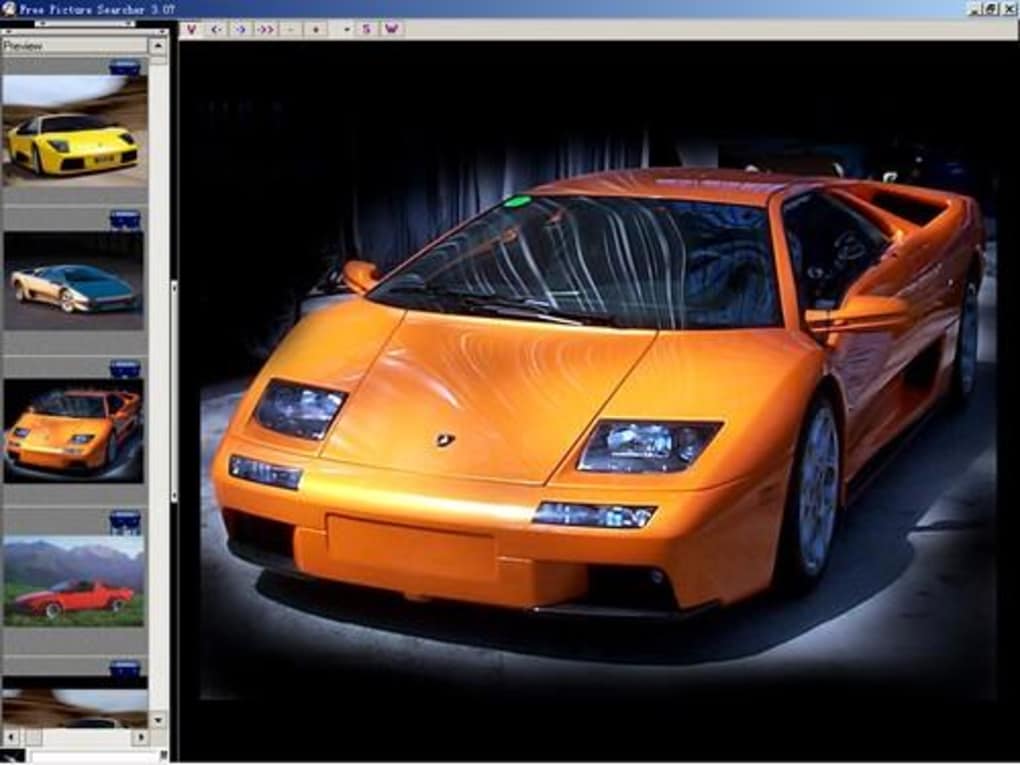
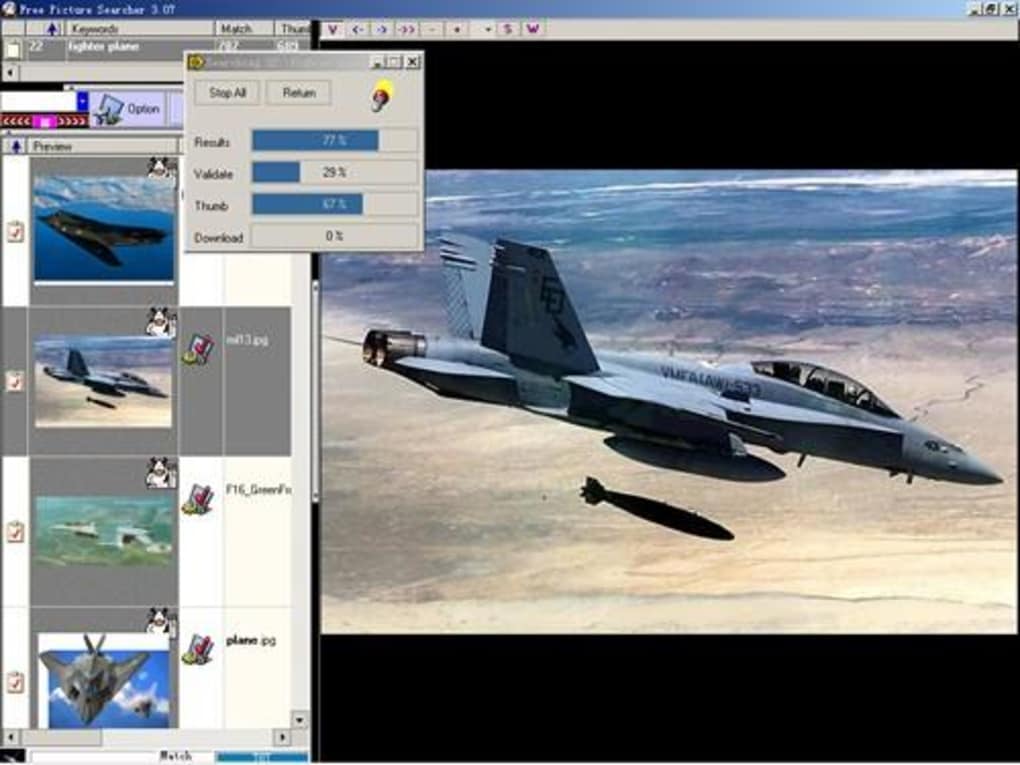
- Thumbnail preview panel that loads results in under two seconds.
- One‑click download of the original high‑resolution file.
- Built‑in file‑type filter (JPG, PNG, GIF, BMP) to narrow results.
- Support for three interface languages: English, Spanish, German.
- Low memory footprint – ideal for legacy Windows systems.
- Secure download manager that verifies file integrity before saving.
- Option to save search history for quick repeat queries.
The feature set may look modest compared with modern cloud‑based image services, but each element has been tuned for speed and reliability on older hardware. The thumbnail preview panel, for example, uses a lightweight rendering engine that avoids the heavy CSS and JavaScript overhead found in contemporary browsers. This results in a smoother experience on machines with as little as 64 MB of RAM. The one‑click download function also strips away unnecessary redirects, reducing the chance of encountering malicious ads or pop‑ups. For users who need a focused tool without the clutter of full‑scale browsing, these capabilities translate into real productivity gains: you can gather visual assets for a presentation in minutes, rather than spending hours sifting through irrelevant web pages.
Installation, Setup & Daily Use
Installing Free Picture Finder is intentionally straightforward. After you download the installer, run the .exe file; the wizard walks you through a three‑step process: accept the license agreement, choose an installation folder (the default is C:\Program Files\FreePictureFinder), and click “Install.” Because the program is only 3 MB, the installation completes in under a minute on most systems, even on Windows 98. Once installed, launch the application from the Start menu or desktop shortcut. The first screen presents a single search bar—type any keyword such as “sunset,” “cat,” or “logo,” and press Enter. Within seconds, a grid of thumbnail images appears, each sourced from partner image repositories that have been vetted for safe, royalty‑free content.
To download an image, simply click the thumbnail; a small dialog pops up offering “View Full Size,” “Download,” or “Cancel.” Selecting “Download” saves the file to the default Pictures folder, though you can change the destination in Settings > Download Path. The program also includes a simple “Favorites” button that lets you bookmark images for later reference. For power users, the “Advanced Filters” pane lets you specify file size ranges, color palettes, or orientation (landscape vs. portrait). All settings are stored in a lightweight INI file, so they persist between sessions without cluttering the Windows Registry. Because the software runs as a standalone executable, you can safely copy the installation folder to a USB drive and use it on any compatible Windows computer without needing administrative privileges.
Compatibility, Pros & Cons
Free Picture Finder is built for legacy Windows environments. Officially, it supports Windows 98, Windows ME, Windows 2000, and early versions of Windows XP. The program does not require .NET Framework or any additional runtime libraries, which helps keep the installation size low. While the software can technically run on newer versions of Windows (7, 8, 10, 11) in compatibility mode, users may experience occasional UI scaling issues due to the older graphics engine. Nonetheless, for anyone maintaining older workstations, the application offers a stable, secure solution for image retrieval.
Pros
- Extremely low system requirements – runs on machines with as little as 64 MB RAM.
- Fast thumbnail loading and one‑click downloads save time.
- No ads or unwanted extensions – a clean, focused interface.
- Free trial version provides full functionality without hidden fees.
- Multilingual support (English, Spanish, German) broadens accessibility.
Cons
- Limited to older Windows OS; modern Windows versions may need compatibility tweaks.
- Search index relies on a small set of partner sites, so the breadth of results is narrower than large search engines.
- Last official update was in 2006, which may raise concerns about long‑term support.
- No built‑in image editor; users must use external tools for cropping or editing.
- Trial version may display a subtle reminder banner after a certain number of uses.
Overall, Free Picture Finder delivers on its promise of a lightweight, secure image search experience for Windows users who need a dedicated tool rather than a full browser. Its speed and low resource usage are its strongest selling points, especially for legacy PCs. While the outdated update schedule and limited search pool are drawbacks, the free nature of the software and its ad‑free environment make it a worthwhile addition to any visual‑content workflow.
Conclusion, FAQ & Call‑to‑Action
In a world saturated with heavyweight browsers and cloud‑based image services, Free Picture Finder stands out as a simple, secure, and free solution for Windows users who value speed and low system impact. Whether you are reviving an old workstation, need a distraction‑free environment for quick picture hunting, or simply prefer a dedicated tool over a full‑blown browser, this application delivers consistent results without compromising on safety. Download the trial today, explore its intuitive interface, and see how much time you can save on everyday image searches.
Frequently Asked Questions
Is Free Picture Finder really free?
Yes, the trial version is completely free to download and use. There are no hidden fees, and the software does not require any purchase to access its core features.
Can I use Free Picture Finder on Windows 10?
The program was designed for Windows 98‑XP, but it can run on Windows 10 in compatibility mode. Some visual elements may appear slightly scaled, yet the core search and download functions work without issues.
Does the software contain ads or spyware?
No. Free Picture Finder is ad‑free and does not install any tracking components. All downloads are verified for integrity before they are saved to your disk.
What image sources does Free Picture Finder search?
The application queries a curated list of royalty‑free image repositories that were partnered with the developer in 2006. While the list is smaller than modern search engines, it provides safe, high‑quality pictures suitable for personal and commercial projects.
How do I update Free Picture Finder?
The last official update was released on 27 September 2006 (version 3.6). Because the software is stable and does not rely on external APIs, a manual update is rarely required. If a new version becomes available, the developer will announce it on the official download page.
Ready to give it a try? Click here to download Free Picture Finder and start hunting for the perfect picture today!







